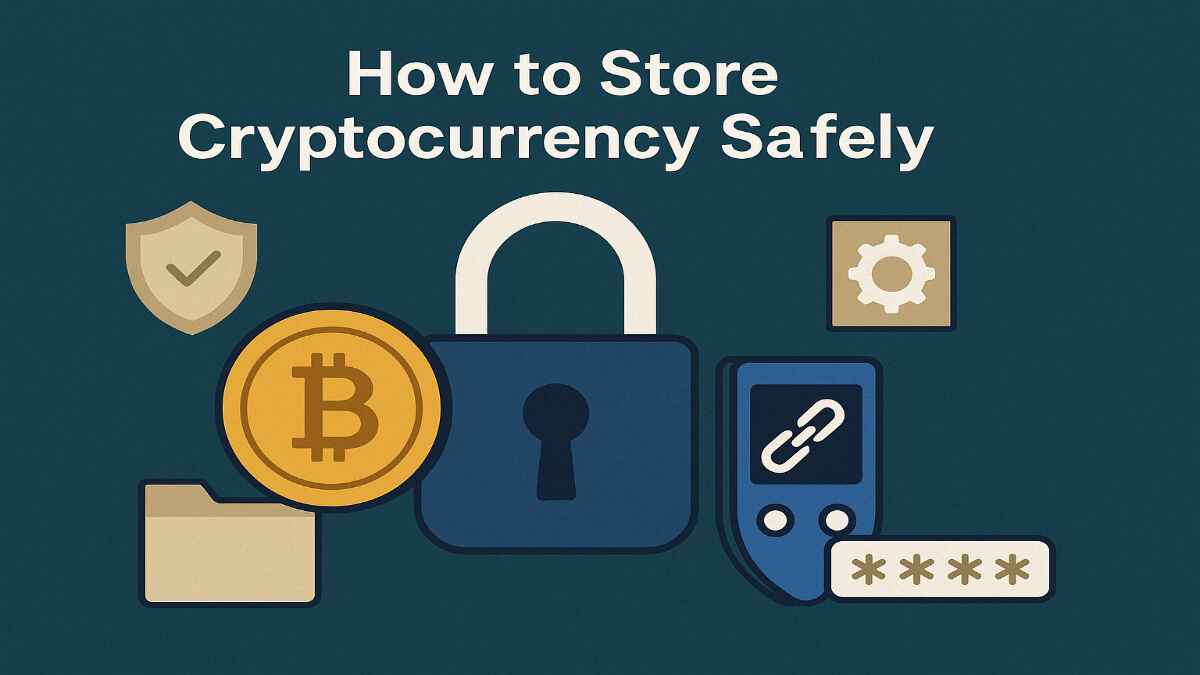
Cryptocurrency has taken the world by storm, offering a decentralized, secure, and innovative way to handle money. In India, where crypto adoption is surging, more people are investing in Bitcoin, Ethereum, and other digital currencies. However, owning cryptocurrency comes with a big responsibility: keeping it safe. Unlike traditional bank accounts, where institutions protect your money, crypto storage depends entirely on you. A single mistake—like losing your private key or falling for a scam—could mean losing your funds forever.
This comprehensive guide, tailored for Indian users, explains how to store cryptocurrency safely using wallets. We’ll cover everything from the types of wallets available to security best practices, common mistakes to avoid, and advanced tips for protecting your digital assets.
Table of Contents
1. Introduction to Cryptocurrency Storage
Cryptocurrency is a digital form of money that operates on blockchain technology—a decentralized ledger that records all transactions. Unlike rupees in a bank account, cryptocurrencies like Bitcoin, Ethereum, or USDT aren’t stored in a physical vault. Instead, they’re managed through cryptocurrency wallets, which store the keys needed to access and spend your funds.
Why Secure Storage Matters
Storing cryptocurrency safely is critical because:
- No Central Authority: There’s no bank or government to recover your funds if you lose access.
- Irreversible Transactions: Once crypto is sent, it can’t be undone.
- High Risk of Theft: Hackers target crypto wallets and exchanges, with billions stolen globally each year.
- User Responsibility: You’re solely responsible for protecting your private keys.
In India, crypto is gaining popularity, with platforms like WazirX and CoinDCX leading the way. However, incidents like the WazirX hack in 2024 highlight the importance of secure storage. By understanding how to store cryptocurrency safely, you can protect your investments from theft, loss, or scams.
What is a Cryptocurrency Wallet?
A cryptocurrency wallet is a tool—either software or hardware—that stores your public key (like a bank account number for receiving funds) and private key (like a password for spending funds). Wallets don’t hold the actual coins; they manage the keys that prove your ownership on the blockchain.
There are different types of wallets, each with its own balance of security and convenience. Choosing the right one depends on your needs, whether you’re a beginner, a trader, or a long-term investor.
2. Types of Cryptocurrency Wallets

To store cryptocurrency safely, you need to understand the different types of wallets available. They fall into two main categories: hot wallets (online) and cold wallets (offline). There are also exchange wallets, which are provided by trading platforms. Below, we explore each type in detail.
Hot Wallets (Software Wallets)
Hot wallets are connected to the internet, making them convenient for frequent transactions but more vulnerable to hacks. They include:
- Mobile Wallets: Apps like Trust Wallet, Coinbase Wallet, or MyEtherWallet that you install on your smartphone. These are popular in India for their ease of use.
- Desktop Wallets: Software programs like Electrum (for Bitcoin) or Exodus, installed on your computer.
- Online Wallets: Web-based wallets accessed through browsers, often provided by exchanges like Binance or ZebPay.
Pros:
- Easy to set up and use.
- Ideal for small transactions or trading.
- Free to download and use.
Cons:
- Vulnerable to hacking, malware, and phishing.
- Not suitable for storing large amounts of crypto.
Best Use: Hot wallets are great for beginners or traders who need quick access to their funds.
Cold Wallets (Hardware Wallets)
Cold wallets store your cryptocurrency offline, offering the highest level of security. They include:
- Hardware Wallets: Physical devices like Ledger Nano S, Trezor, or KeepKey. These devices generate and store your private keys offline, making them immune to online attacks.
- Paper Wallets: A physical printout of your public and private keys, created using tools like BitAddress.org. You store the paper in a secure location, like a safe.
Pros:
- Highly secure due to offline storage.
- Ideal for long-term storage of large amounts.
- Resistant to hacking and malware.
Cons:
- Hardware wallets cost ₹4,000–₹15,000.
- Less convenient for frequent transactions.
- Requires careful handling to avoid physical loss or damage.
Best Use: Cold wallets are perfect for long-term investors or those holding significant amounts of crypto.
Exchange Wallets
Many exchanges, such as WazirX, Binance, or CoinDCX, provide built-in wallets where you can store your crypto after buying it. These are custodial wallets, meaning the exchange controls your private keys.
Pros:
- Convenient for trading and buying crypto.
- No additional setup required.
- Often free to use.
Cons:
- Less secure since the exchange holds your keys.
- Risk of loss if the exchange is hacked or shuts down (e.g., FTX in 2022).
- Limited control over your funds.
Best Use: Exchange wallets are suitable for short-term trading but not for long-term storage.
Comparison Table of Wallet Types
| Wallet Type | Security Level | Convenience | Cost | Best For |
|---|---|---|---|---|
| Mobile Wallet | Moderate | High | Free | Beginners, frequent traders |
| Desktop Wallet | Moderate | Moderate | Free | Traders, tech-savvy users |
| Online Wallet | Low | High | Free | Small transactions |
| Hardware Wallet | High | Low | ₹4,000–₹15,000 | Long-term storage |
| Paper Wallet | High | Low | Free | Long-term storage, low cost |
| Exchange Wallet | Low | High | Free | Short-term trading |
3. How to Choose the Right Wallet
Choosing the right wallet depends on your goals, technical skills, and how much crypto you’re holding. Here are key factors to consider:
- Security: If you’re storing large amounts (e.g., ₹1 lakh or more), a hardware wallet like Ledger Nano S is the safest option. For smaller amounts or frequent trading, a mobile wallet like Trust Wallet is sufficient.
- Convenience: Hot wallets are easier to access and use, while cold wallets require more setup and are less convenient for daily transactions.
- Cost: Hardware wallets have an upfront cost, while software and exchange wallets are free.
- Supported Cryptocurrencies: Ensure the wallet supports the coins you own (e.g., Bitcoin, Ethereum, or altcoins like Solana).
- User Experience: Beginners may prefer user-friendly wallets with simple interfaces, like Trust Wallet or Coinbase Wallet.
Recommendations for Indian Users
- Beginners: Start with a mobile wallet like Trust Wallet or WazirX Wallet for small amounts. These are easy to use and widely available in India.
- Traders: Use a hot wallet like Coinbase Wallet or Binance for frequent transactions, but transfer large amounts to a cold wallet.
- Long-term Holders: Invest in a hardware wallet like Ledger Nano S or Trezor for maximum security.
Indian Context: Platforms like WazirX and CoinDCX are popular in India, but their wallets are custodial. For better control, consider moving your crypto to a non-custodial wallet like Trust Wallet or a hardware wallet.
4. Setting Up and Using a Wallet
Setting up a wallet is straightforward, but it requires attention to detail to ensure security. Below are step-by-step guides for setting up popular wallet types.
Setting Up a Hardware Wallet (e.g., Ledger Nano S)
- Purchase from a Trusted Source: Buy from the official Ledger website or authorized resellers like Amazon India to avoid tampered devices.
- Install Software: Download Ledger Live (the official app) on your computer or smartphone.
- Initialize the Device: Connect the Ledger to your computer, set a PIN (4–8 digits), and follow the setup instructions.
- Generate Seed Phrase: The device will display a 24-word seed phrase. Write it down on paper (never store it digitally) and keep it in a secure location, like a fireproof safe.
- Verify the Seed Phrase: Re-enter the seed phrase to confirm it’s correct.
- Transfer Funds: Send cryptocurrency from an exchange (e.g., WazirX) to your Ledger wallet’s public address.
Setting Up a Mobile Wallet (e.g., Trust Wallet)
- Download the App: Get Trust Wallet from the Google Play Store or Apple App Store.
- Create a Wallet: Open the app, set a strong password, and enable biometric authentication (fingerprint or face ID).
- Generate Seed Phrase: Write down the 12-word seed phrase on paper and store it securely.
- Add Cryptocurrencies: Select the coins you want to manage (e.g., Bitcoin, Ethereum, USDT).
- Transfer Funds: Copy your wallet’s public address and send crypto from an exchange.
Key Tips
- Never Store Seed Phrases Digitally: Avoid taking screenshots or saving them on your phone or computer.
- Test Your Backup: Verify your seed phrase works by restoring your wallet on another device (if possible).
- Double-Check Addresses: When transferring funds, ensure the wallet address is correct to avoid sending crypto to the wrong place.
5. Security Best Practices
Storing cryptocurrency safely goes beyond choosing the right wallet. Here are essential security practices to follow:
- Protect Your Private Keys: Never share your private keys or seed phrases with anyone. Store them offline in a secure location.
- Enable Two-Factor Authentication (2FA): Use apps like Google Authenticator or Authy for an extra layer of security on wallets and exchanges.
- Keep Software Updated: Regularly update your wallet apps, operating systems, and antivirus software to patch vulnerabilities.
- Beware of Phishing: Avoid clicking suspicious links or downloading attachments from unknown sources. Always verify website URLs (e.g., use “binance.com,” not “binance-login.com”).
- Use a Secure Connection: Avoid accessing your wallet on public Wi-Fi networks. Use a VPN for added security.
- Physical Security for Hardware Wallets: Store your hardware wallet in a safe place, like a locked drawer or safe, to prevent theft or damage.
Indian Context: Be cautious of local scams, such as fake crypto apps or phishing emails targeting Indian users. Always download apps from official stores and verify website authenticity.
6. Common Mistakes to Avoid
Even experienced users can make mistakes that compromise their crypto security. Here are common pitfalls to avoid:
- Storing Large Amounts in Hot Wallets: Keep only what you need for trading in hot wallets. Store the rest in a cold wallet.
- Sharing Private Keys: Never share your private keys or seed phrases, even with trusted individuals or websites.
- Using Public Wi-Fi: Avoid conducting crypto transactions on unsecured networks, as hackers can intercept data.
- Not Backing Up Wallets: Always save your seed phrase in a secure, offline location. Losing it could mean losing your funds.
- Ignoring Software Updates: Outdated software can have vulnerabilities that hackers exploit.
Real-World Example: In 2021, a Bitcoin enthusiast lost over ₹1,500 crore worth of Bitcoin because he forgot his wallet password and didn’t have a backup. Don’t let this happen to you!
7. Advanced Security Measures
For users with large holdings or heightened security concerns, consider these advanced measures:
- Multi-Signature Wallets: These require multiple private keys to authorize a transaction, reducing the risk of theft. Examples include wallets like Casa or Electrum with multi-sig support.
- Offline Transactions: Use hardware wallets to sign transactions offline, minimizing exposure to online threats.
- Decoy Wallets: Maintain a small wallet with minimal funds to satisfy potential hackers, while keeping your main assets in a secure cold wallet.
- Cold Storage for Large Holdings: Store significant amounts in a hardware wallet or paper wallet, kept in a bank locker or fireproof safe.
Indian Context: If you’re storing large amounts, consider splitting your funds across multiple wallets and storing backups in different locations to mitigate risks like theft or natural disasters.
8. FAQs
What’s the difference between a hot and cold wallet?
Hot wallets are online (e.g., mobile or desktop apps), making them convenient but less secure. Cold wallets are offline (e.g., hardware or paper wallets), offering higher security but less convenience.
How do I back up my wallet?
Most wallets provide a seed phrase (12–24 words). Write it down on paper, store it in a secure location, and never save it digitally.
Is it safe to store crypto on exchanges?
Exchange wallets are convenient for trading but less secure, as the exchange controls your keys. Transfer large amounts to a personal wallet for safety.
What happens if I lose my private key?
Without a backup (seed phrase), your cryptocurrency is likely unrecoverable. Always back up your wallet and store the seed phrase securely.
How can I protect my wallet from hackers?
Use strong passwords, enable 2FA, keep software updated, avoid phishing scams, and consider a hardware wallet for maximum security.
9. Conclusion
Storing cryptocurrency safely is a critical skill for anyone investing in digital assets. By choosing the right wallet—whether a hot wallet for convenience or a cold wallet for security—and following best practices, you can protect your funds from theft, loss, or scams. In India, where crypto adoption is growing, platforms like WazirX and CoinDCX are popular, but personal wallets offer better control and security.
To summarize:
- Use cold wallets (hardware or paper) for long-term storage.
- Keep only small amounts in hot wallets for trading.
- Protect your private keys and seed phrases at all costs.
- Stay vigilant against scams and keep your software updated.
By following this guide on how to store cryptocurrency safely, you can confidently manage your digital assets and enjoy the benefits of crypto investing. Stay informed, stay secure, and happy investing!
Disclaimer: Moneyjack.in provides general financial information for educational purposes only. We are not financial advisors. Content is not personalized advice. Consult a qualified professional before making financial decisions. We are not liable for any losses or damages arising from the use of our content. Always conduct your own research.